
Free
5 removals
- Bin cursor on LinkedIn
- Truck animation + bag quip
- No account, no card, no email
Now live on the Chrome Web Store.
Slop Sanitation Service · LinkedIn
A retro municipal cursor that hauls feed bait, hustle theatre, and humble-brags out of your day. Built for job seekers and heavy LinkedIn users who would rather scroll than be lectured.
Why it exists
Job hunting is hard enough without scrolling past sixteen humble-brags before lunch. We’re not here to dunk on people. We’re here to haul away the post types that turn LinkedIn into a landfill.
Format · faux humility
“I’m humbled to announce…”
Format · engagement bait
“Repost if you agree. 99% won’t.”
Format · hustle theatre
“7 brutal lessons from getting fired.”
Format · success cosplay
“Closed another deal at 5am. Dad of two. Coffee > sleep.”
What it does
Three small parts, one absurd ritual. Aimed at LinkedIn first. Reddit and X are on the route, not yet on the truck.
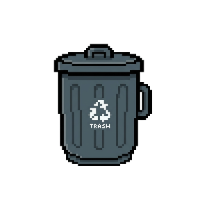
Arm Bin mode in the popup. Your cursor becomes a rubbish bin on LinkedIn. Point at a slop post, click once.
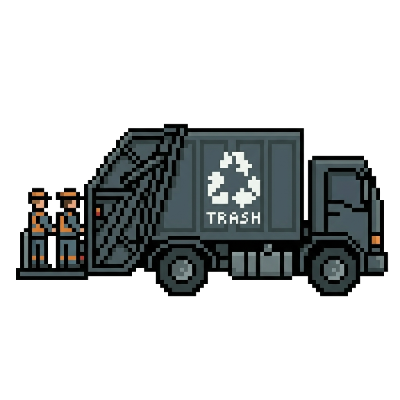
A municipal truck rolls across the screen and hauls the post off your feed. The algorithm doesn’t see that.
A rubbish bag lands with a rotating one-liner so your brain gets the closure that “ignore” never gives.
Blocks distracting LinkedIn non-jobs areas while job hunting, while keeping Jobs routes available so you can keep applying without the extra mental drain.
Focus Mode is optional and can be toggled anytime in the extension popup.
How it works
Add the extension to Chrome. No account, no onboarding tour, no “welcome aboard” email about your journey.
Open the popup and flip Bin mode on. Your cursor turns into a rubbish bin on LinkedIn. Off-LinkedIn, you remain a normal person.
Point at any post you’re done with and click. The truck handles the haul. Free for the first runs. One-time unlock for unlimited.
Privacy first
Bin mode, your free-removal counter, and license state live in
chrome.storage.local. We don’t send your reading habits anywhere.
When you activate a key, the extension talks to Gumroad over HTTPS to confirm the purchase. That’s the only network call. No analytics sidecar.
Slop Bin is independent and not affiliated with LinkedIn. We don’t scrape posts or build a profile of what you read.
Full details in the privacy policy.
Pricing
Free
5 removals
Now live on the Chrome Web Store.
Premium unlock / one-time
$2.49 paid once
No subscription. No renewal. Refunds via Gumroad.
FAQ
No. Slop Bin is independent and not affiliated with LinkedIn. We just visually dismiss posts you click in your own browser.
No. The extension only modifies what you see in your own browser. The only outbound network call is to Gumroad over HTTPS when you activate a license key.
After purchase, Gumroad emails you a license key. Open the Slop Bin popup, paste the key into the License field, and click Activate. Unlimited unlocks immediately.
Yes. Activate the same key in the popup on each device you use. Settings are local per browser, so it’s a one-step activation per machine.
Refunds are handled by Gumroad. If something’s wrong with activation, email itdjordjegligorijevic@gmail.com and we’ll sort it out.
No. It is designed to keep Jobs accessible while blocking distracting non-jobs areas.
Both. Visually removing slop reduces the friction of scrolling without committing to a permanent “mute” or report. It’s a tiny ritual that breaks the doomscroll loop without lecturing you.